One Loop for caregivers
When you're looking after someone else, your own memory gets crowded
Updated November 3, 2026
Caring for a parent, partner or child with extra needs adds dozens of small jobs to every day. Many of them happen in someone else's house, on someone else's schedule. By evening, it's hard to say for sure whether you locked Mom's back door or switched off her oven.
None of that means you're careless. It means you're carrying two households in one head. Writing things down helps, and so does a quick photo at the moment you finish. One Loop is a small iPhone app for that second part.
What gets in the way
- Two homes, two routines
You lock your own door on autopilot. Your dad's door has a different key and a sticky latch, and you're doing it while talking to him about lunch. Neither memory is very clear later.
- Constant interruptions
Caregiving rarely lets you finish one thing before the next request. Interrupted tasks are some of the easiest to forget, or to remember as done when they weren't.
- The worry follows you home
Driving back across town to check a stove is a real cost when you're already stretched. So is lying awake wondering.
- Fatigue
Long-term caregiving is tiring, and tiredness makes routine actions harder to recall. It helps to stop relying on memory for the small stuff.
How One Loop helps
- A photo before you leave their place
Take a picture of the locked door, the stove knobs or the space heater switch. It's saved with the time, so you can check from your own couch.
- Voice notes for quick context
Say "Dad's back door locked, porch light on" as you head out. One Loop saves the recording and a transcript you can play back.
- Separate Loops for separate homes
Create custom Loops like "Mom's stove" or "Mom's door" alongside your own, with one of 32 icons, so you can tell them apart at a glance.
Loops to start with
 Mom's front door Camera
A dated photo answers the question when you're already home.
 Mom's stove Camera
Older stoves can be hard to read at a glance. A close-up shows every knob.
 Space heater off Camera
Heaters left running are a fire risk, so this one deserves visual proof.
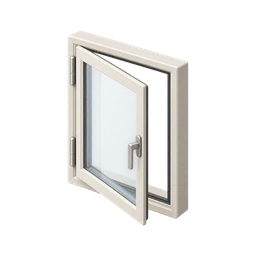 Windows closed Simple tap
A tap after your walk-through means one less thing to wonder about overnight.
- Your own meds Simple tap
Caregivers often forget their own doses. A daily reminder helps.
An honest note. If you give medication to someone else, keep the pharmacy's records, a medication administration record (MAR) or the care team's chart as the main record. One Loop can help you remember your own steps, but it isn't a medication tracking system. It also has no family sharing, so other caregivers can't see what you've logged. If you're unsure whether a dose was given, don't give another: check the label or call the pharmacist.
Questions people ask
Can several family caregivers share One Loop?
No. One Loop works on one device and has no account or sharing. Each person's loops stay on their own phone.
How do I keep track of my parent's medications?
A written medication chart or the pharmacy's records are the most reliable place to start, and many pharmacies offer blister packs that show whether a dose was taken. Ask the pharmacist which setup fits your situation.
Can One Loop tell me if my parent's stove is on?
No. It can't sense or control appliances. It records that you checked, with a timestamp and an optional photo.
Does it work without internet?
Yes. One Loop works offline, and your loops, photos and recordings never leave your phone.
Common doubts
Useful checklists

Confirm it once. Stop wondering.
One Loop keeps a timestamped tap, voice note or photo of the things you do on autopilot. Free to try for 7 days.
Download on the App Store